


Managing stays as an owner
As the owner, you decide how stays get added, you approve requests, and you can remove any stay.
The screenshots show the German app for now. English screenshots are on the way.
1. Set who can add stays and whether approval is needed
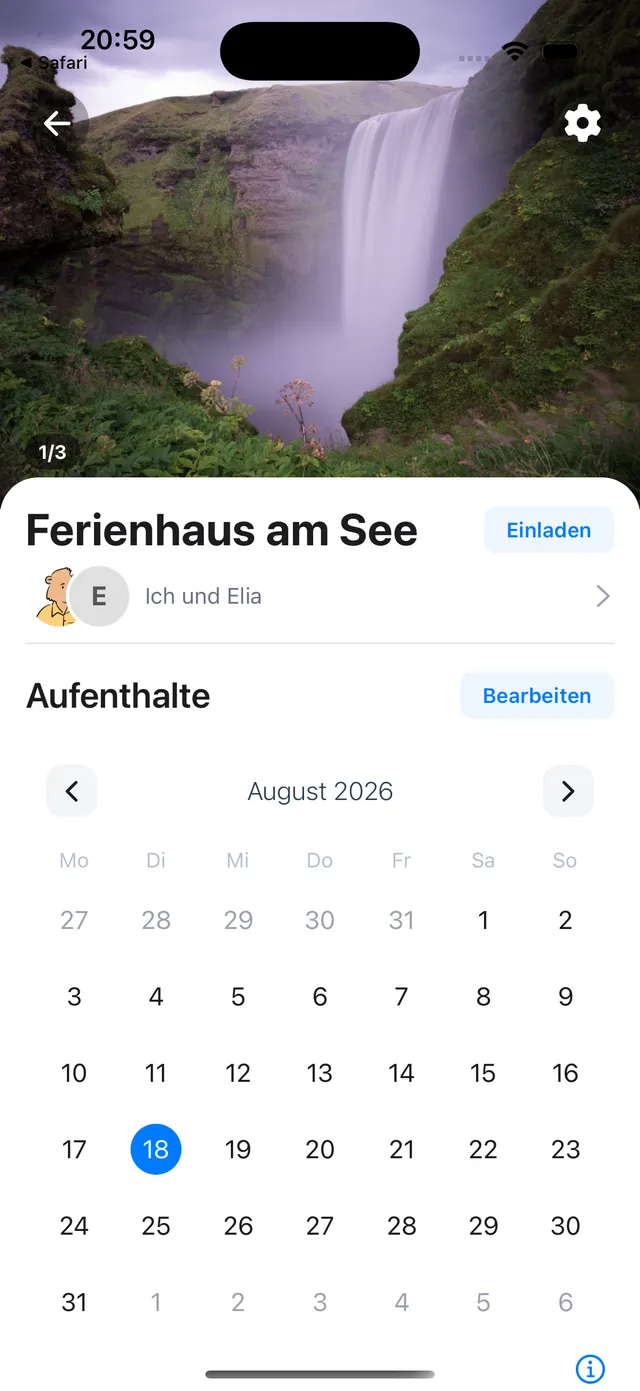
Open the place and tap Edit next to Stays.
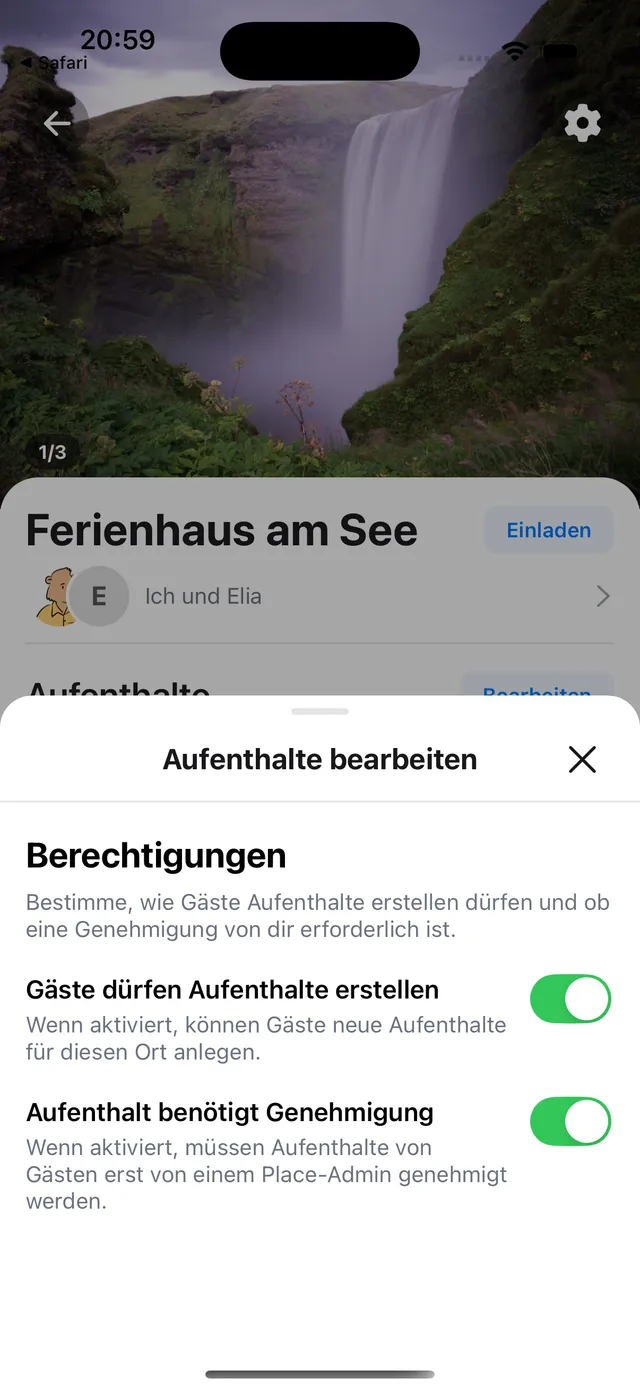
There are two toggles:
- Guests can add stays. On, guests can create stays. Off, only you and your co-owners add them.
- Stay requires approval. On, a stay a guest adds waits as pending until you approve it. Off, it is added right away. This toggle only applies when guests can add stays.
2. Approve requests
When a stay needs your approval, you can approve or decline it from three places.
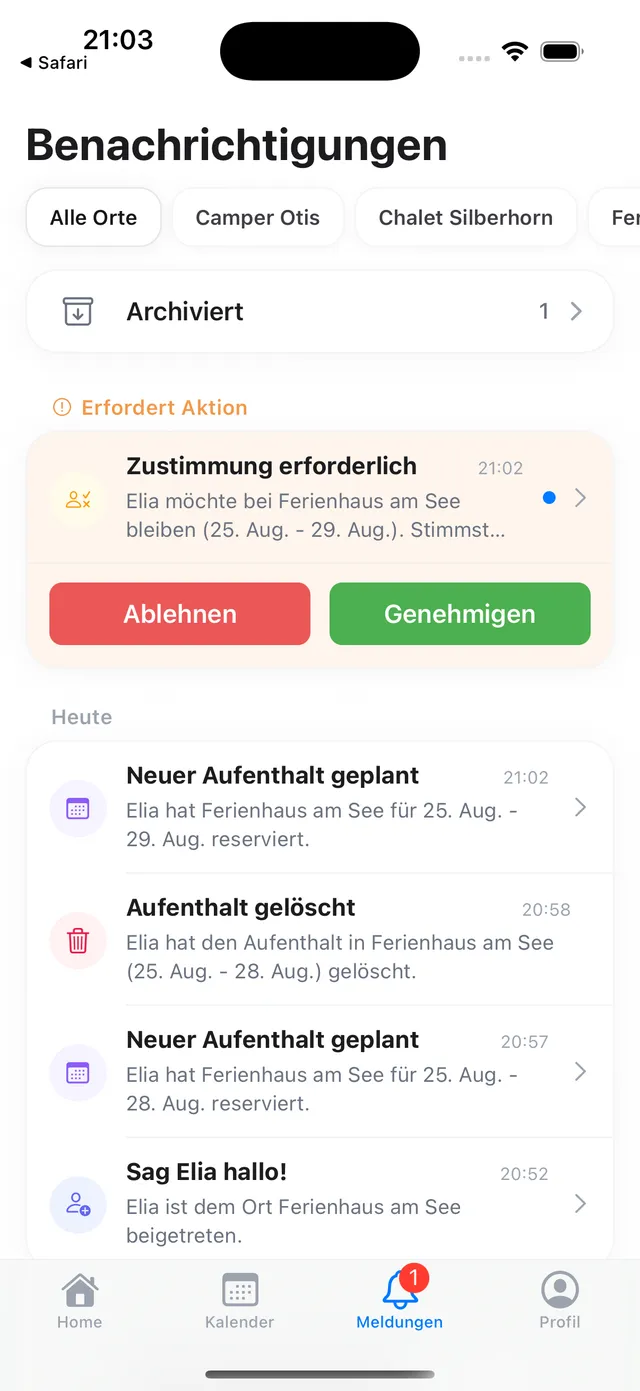
In the notifications
Under Action needed, with an approve or decline button. The badge on the notifications tab stays until you decide.
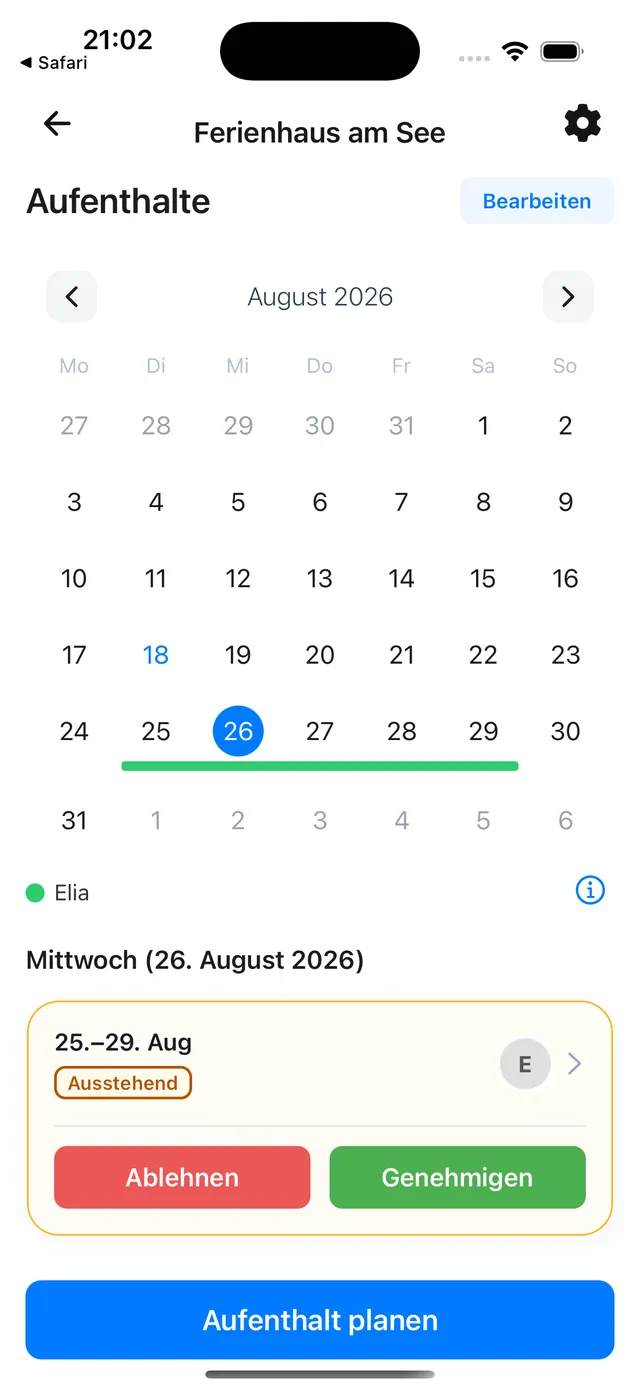
In the place, on the stay’s day
In the calendar, tap a day where the stay is drawn, and decide right on the card.
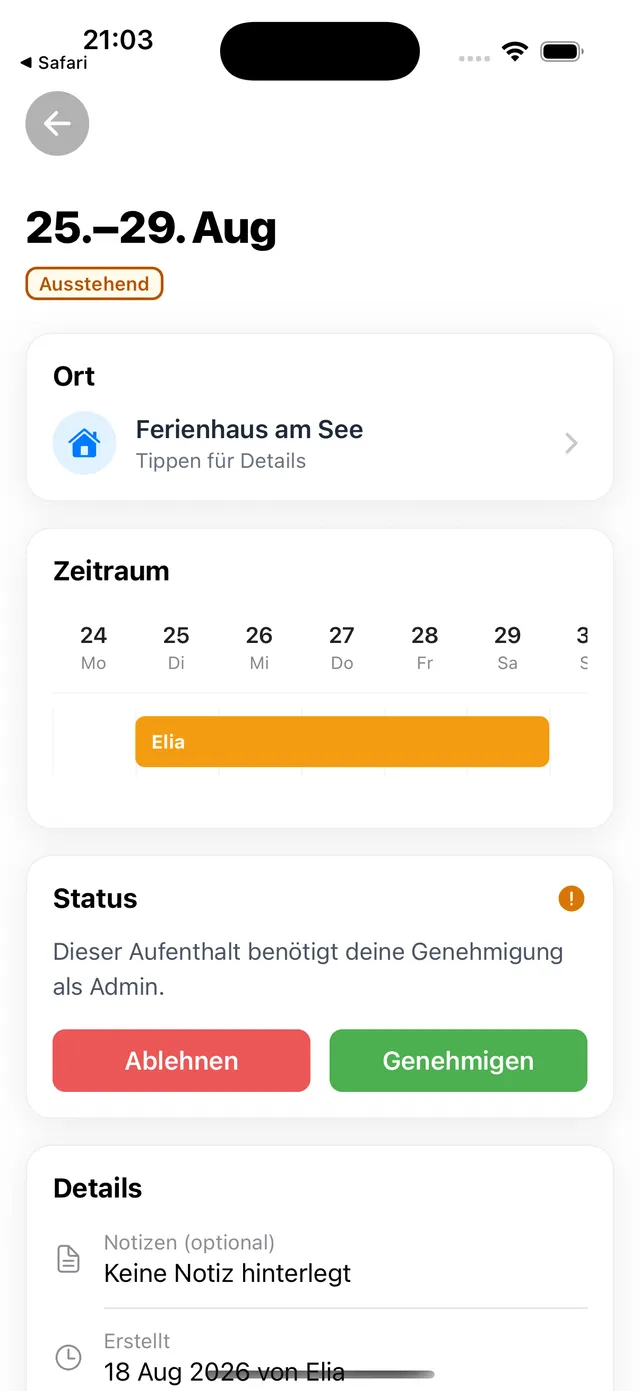
When you open the stay
Open the stay and decide under Status.
3. Edit, cancel and delete
- Editing or cancelling works only for stays you created yourself.
- Deleting works for any stay, including one created by someone else. This removes it permanently for everyone.
For what each status means, see Stay statuses explained. The roles are covered in Owner, co-owner and guest.
Still need help?
Get in contact and we will be glad to help.