


Inviting people to your place
Everyone you share a place with joins through an invite link. One link works for everyone: send it once to the family chat, and everyone can join with it.
1. Open the members area
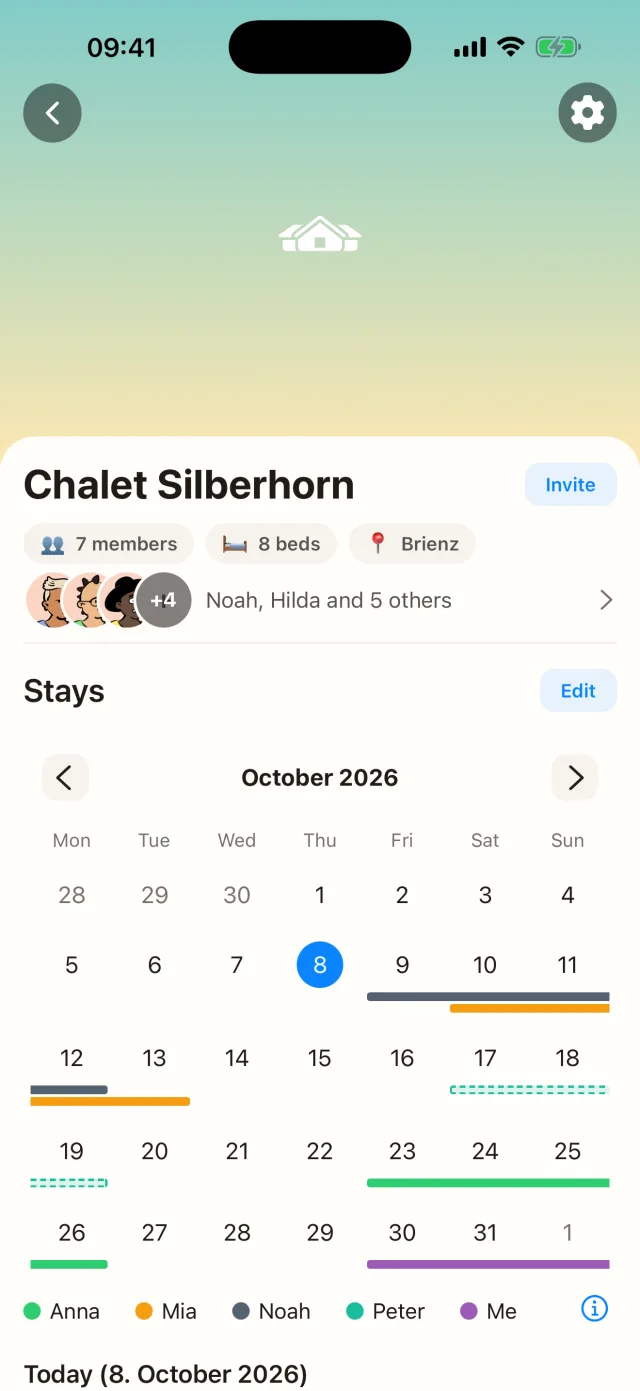
In the place, tap Invite or the row with the members.
2. Create and share the link
At the bottom, under Invite link, tap Create and then Share. Send the link by message, email, or however you like. Invites work across iPhone and Android.
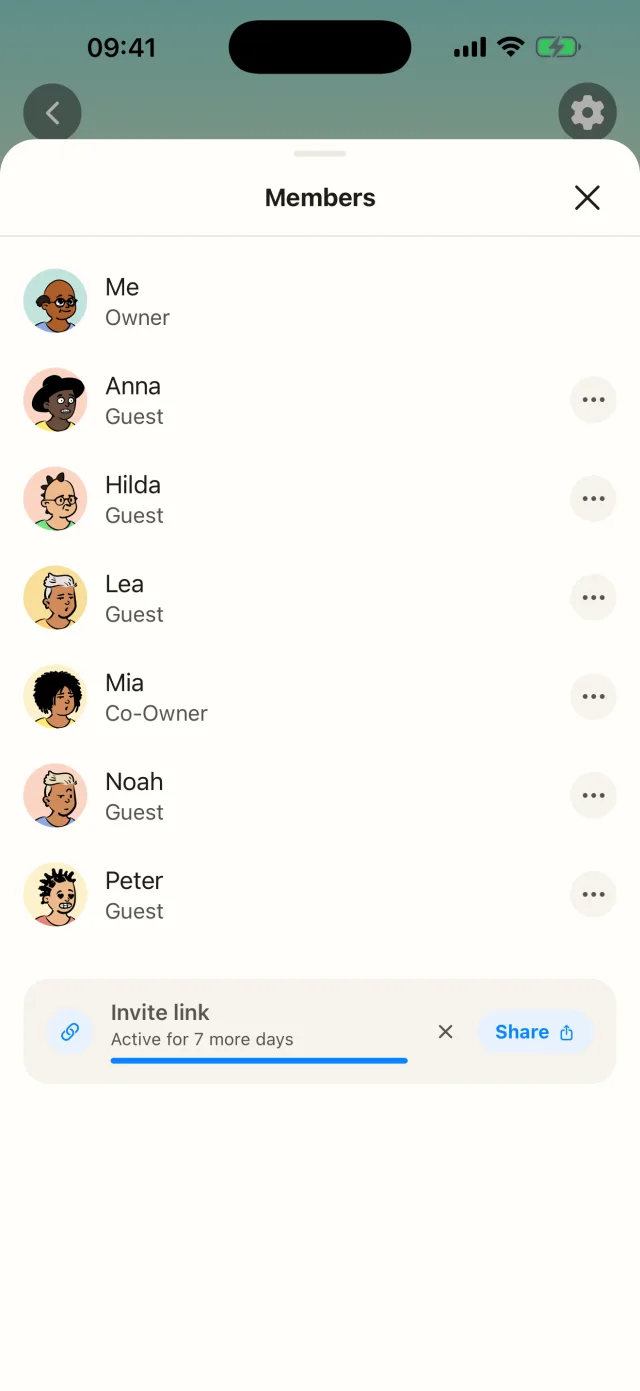
How long the link works: Without Casana Plus a link works for 24 hours. With Casana Plus you choose 3, 7 or 30 days, or no expiry. Tap the X next to the link to turn it off at any time; after that nobody can join with it.
What happens next
The person installs Casana, opens the link on their phone, and joins. See Joining a place as a guest.
Who pays and who joins free
Only the owner of a place needs Casana Plus for larger groups. Joining as a guest is always free, and guests can be in as many places as they like.
If a link does not work
Ask the person to open it on their phone rather than a computer, in Safari on iPhone or Chrome on Android. If the link has expired, create a new one in the members area. If the place is full, you see that there too.
Still need help?
Get in contact and we will be glad to help.